Showing posts with label mobile. Show all posts

Monday, July 23, 2007

Grocerysurf 101 - Mobile recipe box

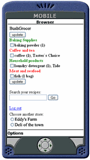
Do you have a cellphone? Does it have Internet access? If it does, welcome to join the club! From the past, We had introduced GrocerySurf mobile shopping list (read it). Mobile recipe box is an add-on feature for your mobile list. That means, not only the shopping list follows wherever you go, so does your recipe box!


The main idea here is to encourage people to cook more at home and enjoy healthy and balanced diet. Using the mobile recipe box ensures our users that one grocery trip does all. Best of all, if you spot a great buy at the store (ex. $0.99/lb Pork Baby Ribs), you can double check your recipe for associated ingredients.


The basic functions:

1. Search recipes by ingredient(s) or title(s).

2. The result is shown by relevance.

3. Click any single ingredient and add it into current shopping list.

4. Aisle is assigned automatically.

To learn more about using the GrocerySurf online grocery organizer, check these series of articles "GrocerySurf 101."

Friday, May 11, 2007

Grocery Surfers Go Mobile

Have you tried the GrocerySurf mobile list yet? There are many reasons why we think you should go mobile with your grocery shopping.

  1. We used to make our list on paper and post it on the fridge. And guess what? It either stayed on the fridge or got lost somewhere on the way to the store. If you were ever in my shoes, you know what I mean.
  2. The grocerysurf pantry is updated at the time you shop. It then generates the auto-reminder for your next shopping.
  3. Simple pleasure of trying something new.

What you need:

  • Any cell phone or mobile device with Internet access
  • GrocerySurf account
  • Internet browser for mobile (ex. Opera mini)

Here is how:

  • Go to address: www.grocerysurf.com(* tip – bookmark this address in your phone for faster access)
  • Login with non-secure or secure connection (recommended)
  • Provide login information (account name and password)
  • After login, click on the store name to open the list for that store
  • Scroll down to see entire list organized by aisles
  • Check the box for each item as you surf through the store
  • Click Update button to transfer the data back to your GrocerySurf account
  • If you have recipes saved in the account, you can search the ingredients and add more items to current list.
  • Important! When you finish shopping, please click logout to end the session.

Wednesday, May 9, 2007

What is GrocerySurf?


GrocerySurf is a free web-based program developed by Eksendia LLC to simplify the grocery shopping experience. It provides multi-store shopping list organized by aisle, automatic grocery reminder. It also keeps unlimited favorite recipes of your choice that can be transferred into list by clicking. The basic idea is to give you an easy-to-use but powerful tool that actually works for you.

The unique features include:

  • both printable and mobile shopping list (access through cell phone)
  • automatic reminder that notifies you two weeks ahead before the item runs out
  • easy to use and convenient

Do you...
enjoy cooking with lots of recipes in mind
but
tired of writing down same ingredients
over and over again for every grocery shopping?


Would you...
like to grab the food on sale today
but
not sure about other ingredients needed to cook with?


Have you...
minimized the trips to the store
yet kept everything on hand
for the household needs without
photographic memory?

Try GrocerySurf today. It is easy to use, and free to sign up.